
The Insta360 Mic Pro: Why a Microphone Needs an E-ink Display
In 2026, you'd think hardware innovation had mostly plateaued. Smartphones are iterative. Laptops get marginally thinner. Headphones squeeze out another decibel of noise cancellation. Then Insta360 drops the Mic Pro — a tiny wireless microphone with an embedded E-ink display, and it is genuinely surprising.
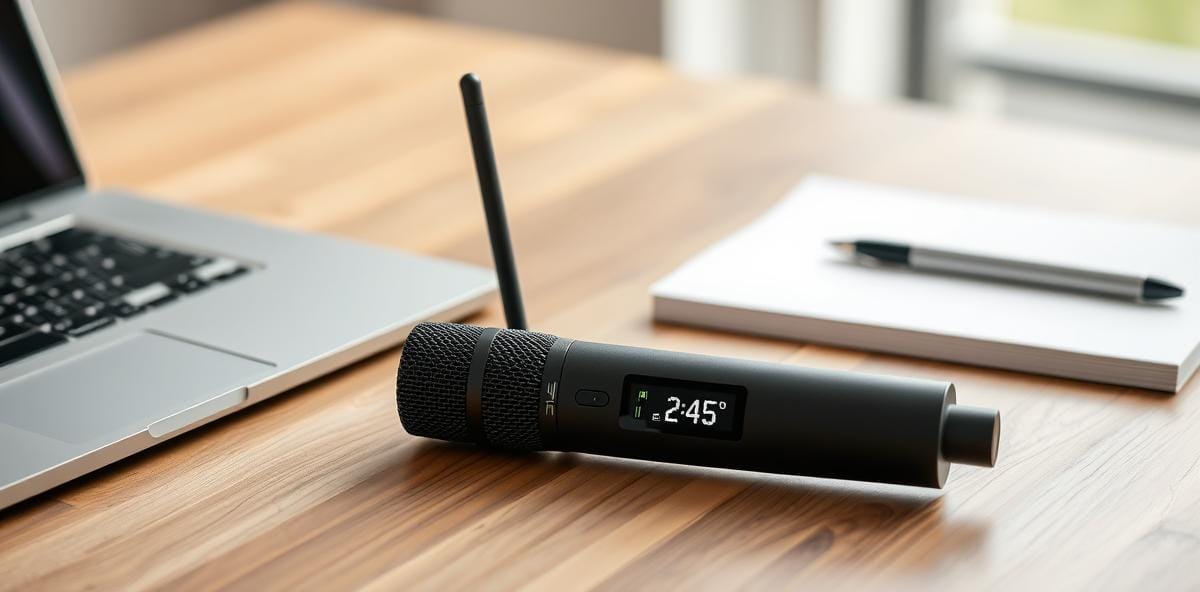
The device, announced as part of Insta360's 2026 product lineup, features what the company calls an "industry-first customizable E-ink screen" on a microphone body. Yes, you read that right. A piece of audio hardware with an e-reader-grade display. The question isn't whether it works — it does — but why this was such a clever idea to begin with.
The Problem It Solves
Wireless microphones are everywhere now. Rode, DJI, Sennheiser, Hollyland — the market is crowded. But they all share the same fundamental pain point: status is invisible until you check a companion app.
When you're recording on camera, standing in front of your subject, you need to know at a glance:
- Is the mic connected? (Battery level)
- What's the input gain set to?
- Are you in record mode?
- What channel or frequency is it on?
Traditionally, answering any of these questions means either squinting at a tiny LED indicator or pausing your workflow to pull out your phone and open the app. Both are annoying. The E-ink display eliminates that friction entirely.
What the Display Actually Does
The customizable E-ink screen on the Mic Pro isn't just a gimmick. It serves as an always-visible status panel that shows real-time information without draining battery (E-ink doesn't consume power for static content) and without requiring screen glare awareness in bright sunlight — a genuine advantage over LCD or OLED displays outdoors.
You can configure what the display prioritizes based on your workflow. A podcast host might want battery level and input meters front and center. A vlogger might prefer frequency channel and connection status. The customization happens through the companion app during setup, then the mic operates independently.
This is a subtle but important distinction: the display makes the hardware self-documenting. You don't need to remember settings or second-guess whether the gain was adjusted correctly. Everything you need is right there on the device itself.
Technical Spec Highlights
Beyond the display, the Mic Pro brings several competent specs to the table:
- Wireless range: Up to 200 meters line-of-sight (typical for this class of device)
- Audio quality: 24-bit/48kHz recording with adaptive noise reduction
- Battery life: Approximately 10 hours on a single charge, with the charging case extending total runtime significantly
- Compatibility: Works with cameras via 3.5mm output, smartphones via USB-C or Lightning, and computers through the included receiver dongle
- E-ink refresh: Updates at a pace sufficient for status changes while remaining flicker-free during static display
The audio quality sits firmly in the "good enough for professional use" category. It won't replace a studio condenser microphone, but for on-location interviews, vlogging, podcasting, and content creation, it delivers clean, clear audio that punches above its price point.
Why This Matters to Developers
You might be wondering why a frontend engineer is writing about a microphone. Here's the thing: hardware design patterns are increasingly relevant to software engineers, and the Insta360 Mic Pro is a textbook example of progressive disclosure done right.
The E-ink display is essentially a physical manifestation of a status bar — the kind we build into every web dashboard. But instead of requiring users to navigate menus or context switches, it presents critical information in the most direct way possible: on the device itself, always visible, zero interaction cost.
This is the same principle behind htop over top, or why your terminal emulator's status bar matters. The best interfaces reduce cognitive load by surfacing what you need exactly when you need it, in the context where you need it. Insta360 applied that software philosophy to hardware, and the result is a product that feels intuitively correct.
The broader lesson for anyone building digital products: stop putting status information behind screens. If your users need to check something repeatedly, find a way to make it visible without interaction. The E-ink mic display isn't just clever hardware — it's a design pattern worth studying.
The Verdict
The Insta360 Mic Pro is one of those products that makes you appreciate a category you didn't realize had room for improvement. It doesn't try to do everything. It does one thing — making microphone status instantly visible — and it does it in a way that genuinely improves the workflow.
For content creators, it's a solid upgrade over traditional wireless mics. For the rest of us, it's a reminder that innovation still exists outside of software updates and feature flags. Sometimes the most interesting tech is the kind you can hold in your hand and read like a book.
Comments