
If you run local LLMs with llama.cpp, you know the drill: downloading GGUF models by hand, memorizing flags for llama-server, juggling multiple terminal tabs across different ports, and context-switching between a CLI and whatever chat frontend you're using. It works — but it's friction at every step.
gollama is a single Go binary that wraps llama.cpp into a cohesive experience — a lightweight UI + CLI layer that handles the boring plumbing so you can focus on actually using your models. No Docker, no Python, no dependencies. Just one binary.
What It Does
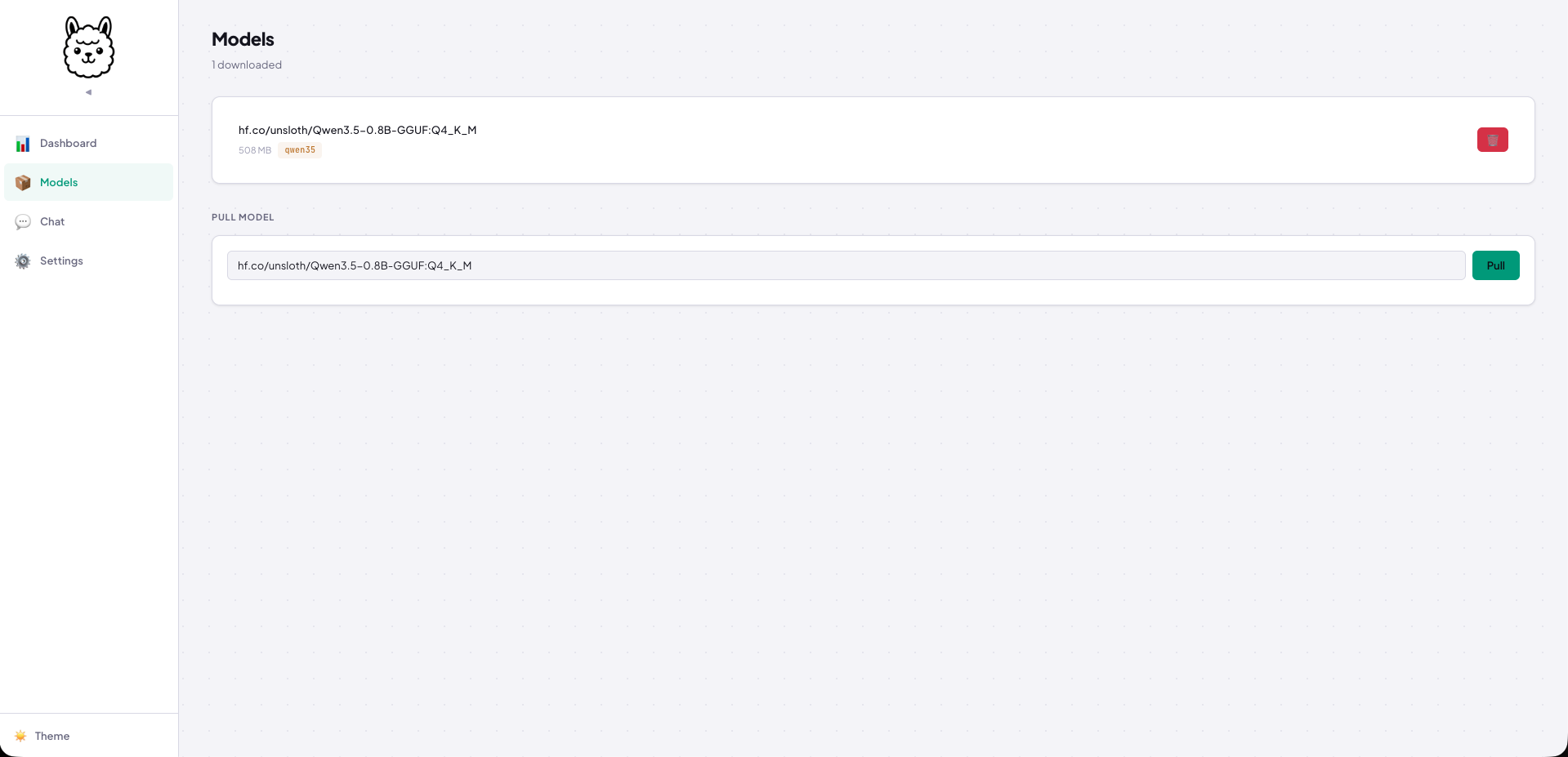
Pull Models from HuggingFace:
gollama pull hf.co/unsloth/Qwen3.5-0.8B-GGUF:Q4_K_M
Done. The model lands in ~/.gollama/models/ with metadata auto-extracted.
Or use Web User Interface and download models by click of a button.
Launch Instances — Click or Command-Line:
Pick a downloaded model, choose a port, hit Launch. Or from the terminal:
gollama run Qwen3.5-0.8B-GGUF:Q4_K_M.gguf
or alternatively use the Web UI.
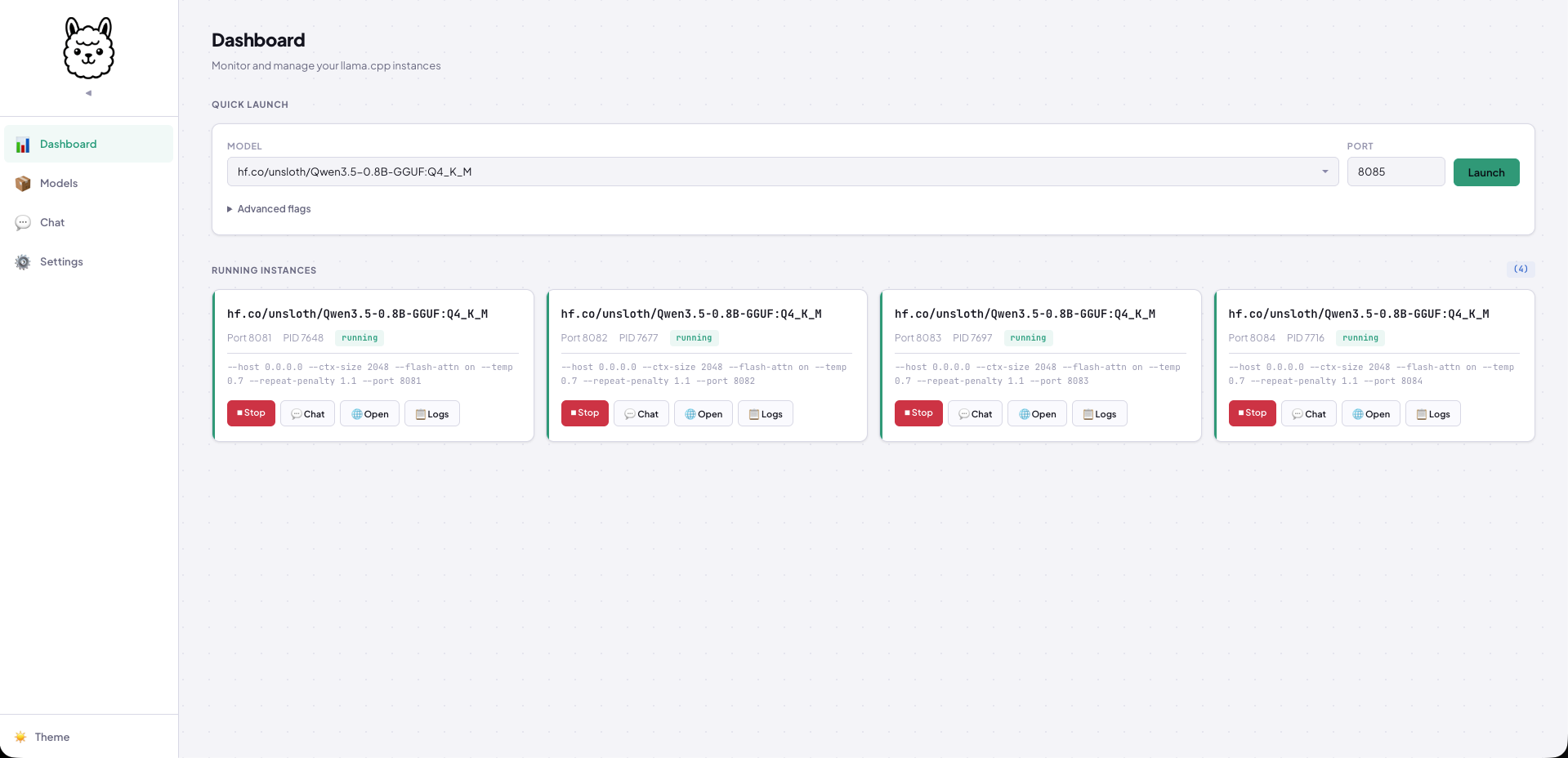
All the llama-server flags are pre-filled with sensible defaults — --flash-attn, GPU layer detection, context size — but fully editable in the UI or CLI before you launch. Nothing hidden, nothing abstracted away.
Chat with Real-Time Streaming:
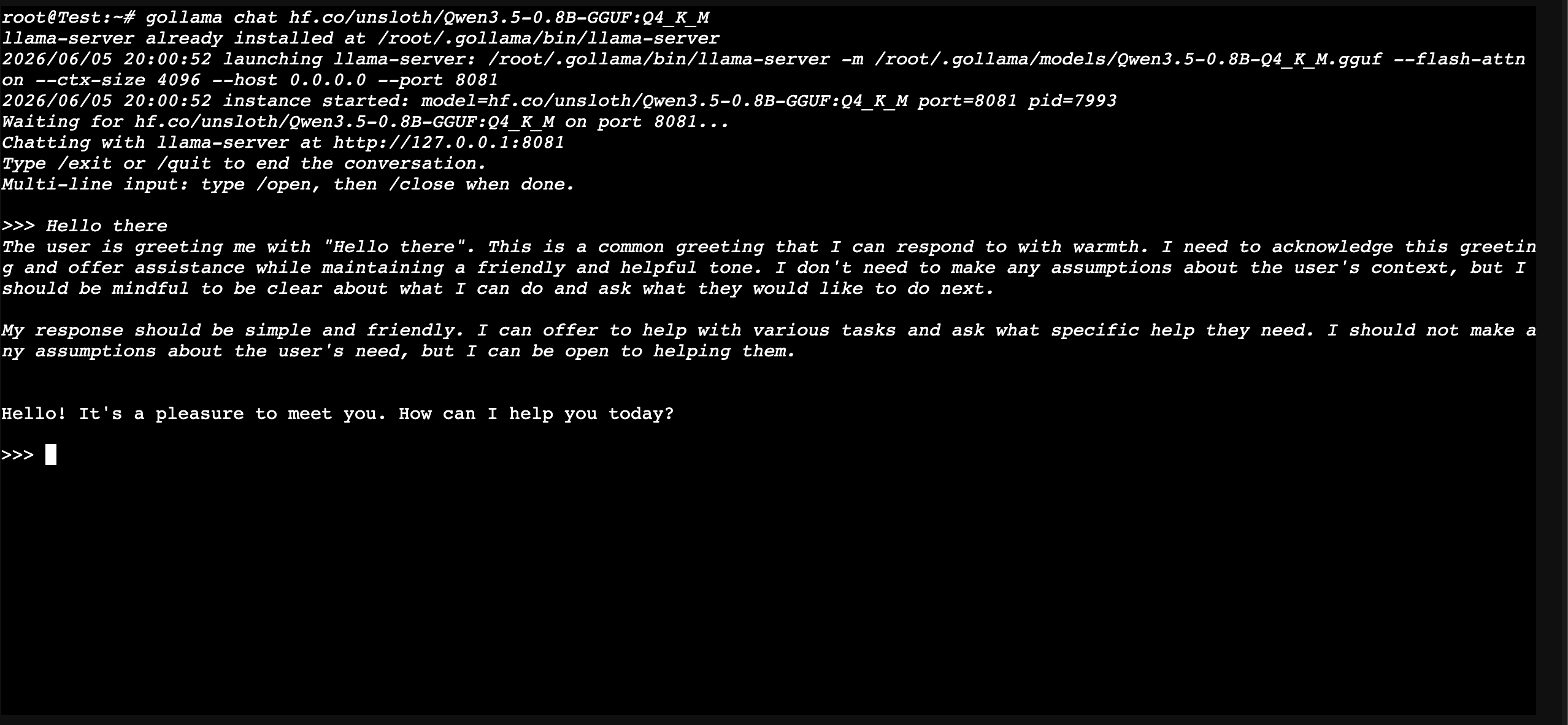
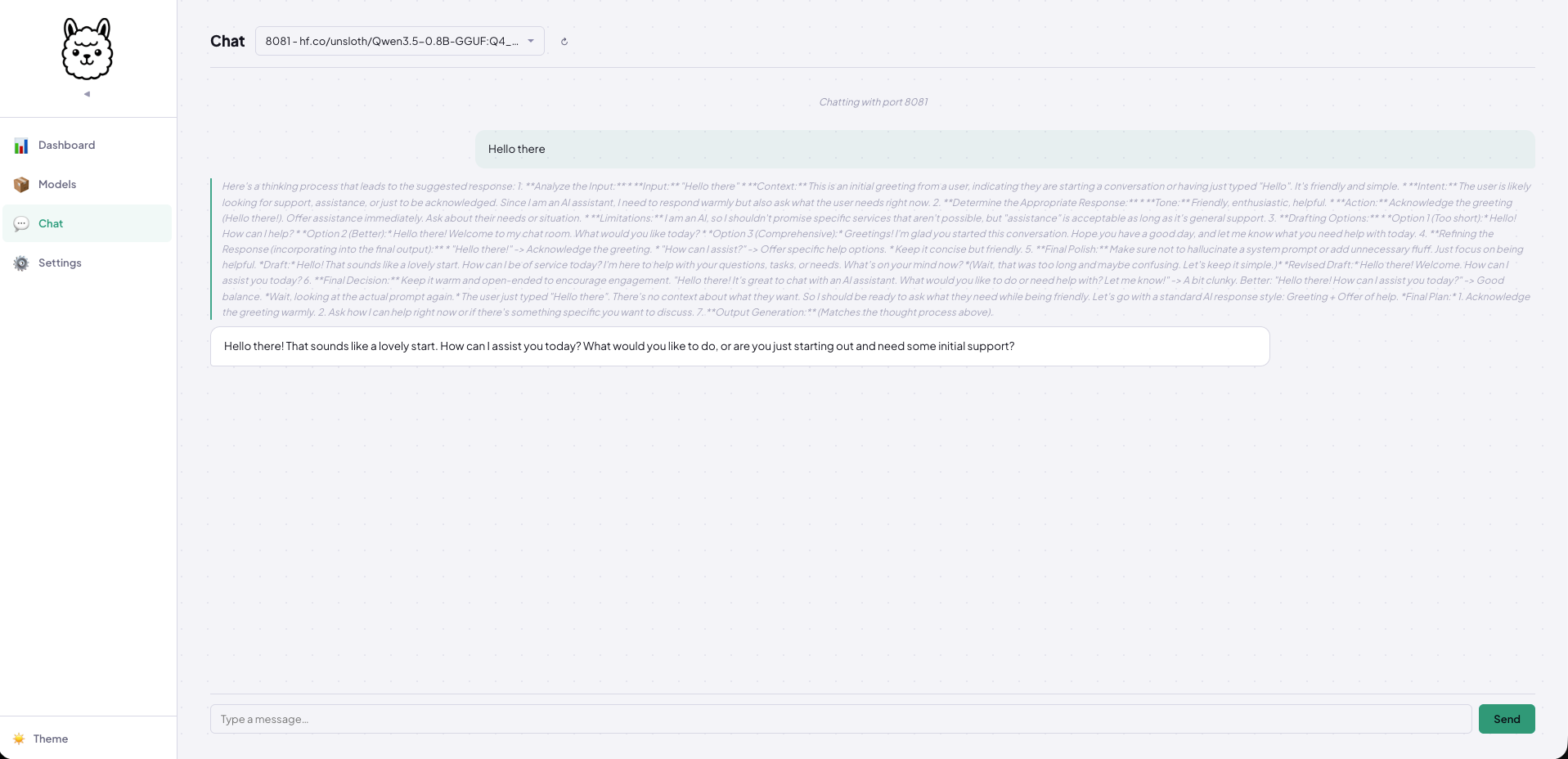
Built-in terminal chat with token streaming (SSE) and reasoning/thinking display — thinking tokens render in italic before the main response kicks in. Works with any OpenAI-compatible endpoint, not just local instances.
gollama chat Qwen3.5-0.8B-GGUF:Q4_K_M.gguf
Or if you prefer the Web user interface, you can do that too.
Multi-Instance Management:
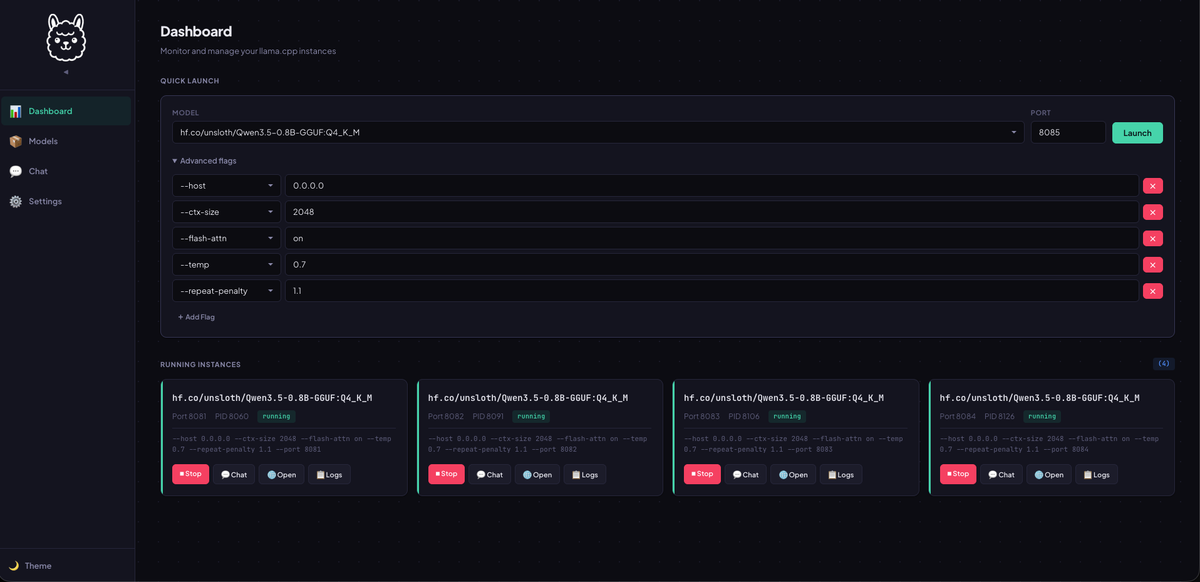
Run several models simultaneously on different ports. The dashboard shows every running instance with live metrics — tokens/sec, GPU utilization, context usage. Stop, restart, or open a chat for any of them from one screen.
Terminal & Web UI:
Use it entirely from the command line, or open `http://localhost:9080` for the full web interface:
Dashboard — overview of models, instances, and token throughput
Models — list all downloaded GGUFs with metadata (architecture, quantization, context length)
Chat — workspace to chat with any running instance (proxied, no CORS issues)
Instance cards — port, PID, status, tokens/sec, actions (stop, chat, open URL, view logs)
Dark/light theme - toggle
Why I Built It
I was constantly switching between terminal tabs: one for llama-server, one for curl requests, one for pulling models. The existing tools fell into two camps:
- Too opinionated — Ollama is great but rigid about model formats and what you can tweak
- Too bare — raw
llama.cppCLI is powerful but requires memorizing the entire flag reference every time
gollama sits in the middle. It doesn't abstract away llama.cpp — it makes it accessible. Every flag, every config option is still there. Just surfaced in a way that doesn't require keeping llama-server --help open in another tab.
The first-run wizard detects your GPU and sets sensible defaults automatically. You can override everything later via the User interface or by editing ~/.gollama/config.json:
{
  "default_flags": ["--flash-attn", "on", "--ctx-size", "4096"]
}
Quick Start
Linux & macOS:
curl -fsSL https://raw.githubusercontent.com/majidkorai/gollama/main/install.sh | sh
gollama    # interactive first-run wizard
Windows (PowerShell):
iwr -useb https://raw.githubusercontent.com/majidkorai/gollama/main/install.ps1 | iex
gollama
The install script detects your platform and architecture, downloads a pre-built binary, and places it in /usr/local/bin. If no pre-built binary exists for your setup, it falls back to building from source.
Manual Build:
git clone https://github.com/majidkorai/gollama && cd gollama
go build -o gollama .
sudo cp gollama /usr/local/bin/
gollama
Command Reference:
| Command | Description |
|---|---|
gollama |
First-run wizard (auto-setup) |
gollama update |
Update the llama-server inference engine |
gollama self-update |
Update gollama itself |
gollama pull <model> |
Download a GGUF from HuggingFace |
gollama serve [port] |
Start web UI + REST API on :9080 |
gollama chat <model> |
Terminal chat with streaming |
gollama list |
List downloaded models with metadata |
gollama ps |
List running instances |
gollama stop <port> |
Stop a running instance |
gollama run <model> |
Run a model server directly |
What's Next
The project is open source (MIT) and in active development. Recent additions include:
- Real-time reasoning/thinking token display in the terminal chat
- Structured flag editing with dropdowns for common parameters
- Disk space checks before downloads to prevent half-installed models
- Cleaner UI layout with improved instance management
- Auto GPU detection and layer offloading on first run
Give it a try if you manage local LLMs. It might save you the same headache it saved me.
GitHub: github.com/majidkorai/gollama
PRs and issues welcome :)
Comments