
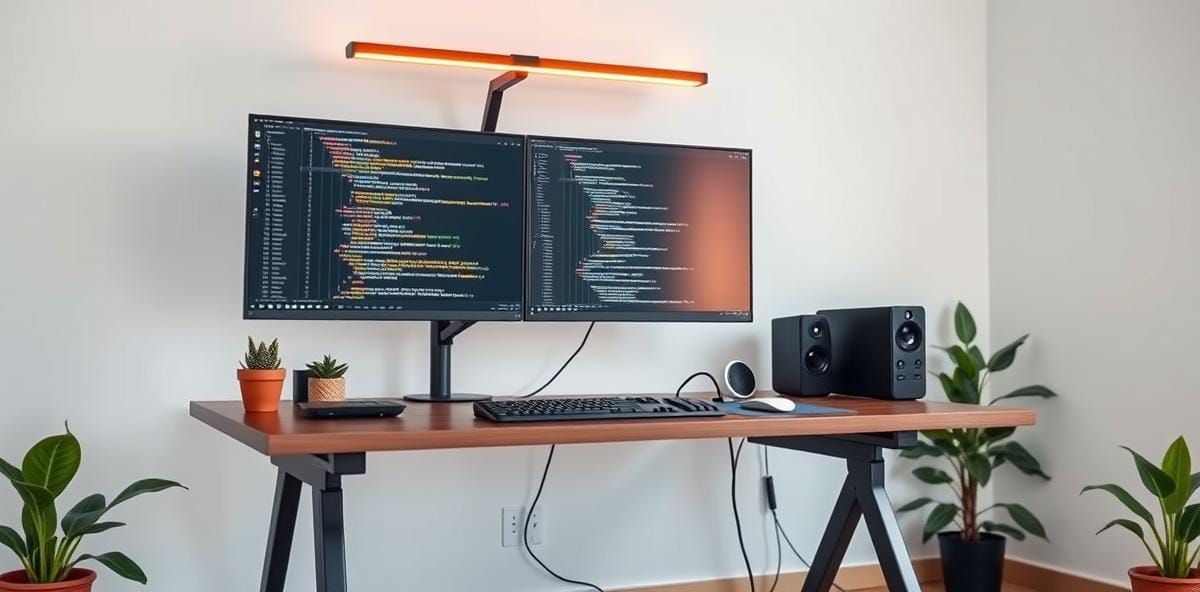
The Developer's Desk in 2026: How AI Agents Are Redesigning Your Workspace
If you read most developer desk setup guides, they were written for a 2020 workflow: one editor, one task, eight hours of uninterrupted typing. That world is gone. Today's senior engineer spends roughly half their day supervising AI agents — routing prompts, reviewing diffs, deciding what ships. The rig built for the old day is overbuilt where typing matters and underbuilt where supervision does.
This shift isn't theoretical. A 2026 survey of engineering teams found that the average developer now runs three or more parallel agent sessions daily. That changes everything about what hardware actually matters on your desk. Here's what's worth buying, in order of priority.
Screen Real Estate Is No Longer Optional
The single highest-impact upgrade for a 2026 dev desk is display area. Not resolution — raw surface. You need to see code, agent output, terminal, and your reference material simultaneously without alt-tabbing.
- Ultrawide first: A 38-inch minimum ultrawide (preferably 49 inches if your desk fits) gives you three full vertical contexts side by side. This is the setup most working developers are converging on, and for good reason.
- The triple-screen alternative: Two 27-inch panels side by side plus a dedicated narrow code panel on the right delivers roughly 7,680 horizontal pixels. Terminal on one screen, IDE on the center, documentation on the right. No riser, no shelf, no aesthetic spend.
- The minimal path: A single 34-inch ultrawide plus a MacBook underneath works fine if you run one or two deep sessions at a time rather than five parallel ones. You're trading supervision capacity for desk space and budget.
The rule of thumb is simple: screen real estate before keyboard quality, before anything else. Your hands type less in 2026; your eyes watch more.
Monitor Light Bars: The Underrated Win
A monitor light bar — whether from BenQ's ScreenBar line or a budget clone — deserves more hype than it gets. These devices mount above your screen and cast even, shadow-free light across your desk surface without glare on the display.
The practical benefits are immediate: reduced eye strain during long review sessions, better readability of printed materials (yes, some engineers still use paper), and the ability to work late without blinding yourself or anyone else in the room. The wireless puck versions make height adjustment effortless, which matters more than you'd think.
Budget: $50-170. Return on investment: immeasurable after month two of daily use.
The Keyboard Question
Here's the contrarian take: your keyboard is the last thing you should upgrade in 2026. A $150 mechanical keyboard is fine. The money saves itself elsewhere.
Why? Because the typing load has shifted. In a multi-agent workflow, you're reviewing and editing more than writing from scratch. Your fingers hit keys fewer times per hour but with higher cognitive load per keystroke. That means tactile feedback matters less than having your hands positioned comfortably for long stretches.
If you do upgrade, prioritize a keyboard with a good wrist rest and the ability to angle it slightly downward. The difference in comfort over an eight-hour day is noticeable from day one.
The Standing Desk Decision
Standing desks have been trending for years, but 2026 gives them a new justification: agent supervision cycles. When you're monitoring multiple AI sessions, standing naturally encourages micro-pauses — you step back, stretch, reassess. It's accidental ergonomics that actually work.
Achieve this with a desk that is 60 inches wide at minimum (to accommodate ultrawide + peripherals) and stable at full standing height. The stability point matters more than most guides mention: wobbly desks during typing sessions destroy focus faster than any software lag.
The Chair You Actually Sit In
Chairs are boring to talk about until yours fails you at hour nine of a debugging session. Pick one that survives hour eleven, not just hour four. Mesh backs breathe better during long sits; seat depth matters more than lumbar adjustability for most body types.
The Autonomous ErgoChair Pro and Herman Miller Aeron remain the two benchmarks in 2026, but a $400-600 mid-range chair from a reputable brand will outlast a $1,500 bargain-bin knockoff every time. Warranty length is your best proxy for expected lifespan.
Budget Tiers That Actually Make Sense
| Tier | Build Cost | Best For |
|---|---|---|
| Laptop-only minimalist | $800-1,200 | Solo devs running one session at a time |
| Ultrawide core | $2,500-3,500 | Most working developers in 2026 |
| Multi-screen power rig | $3,500-5,000 | Teams supervising five+ agents daily |
The laptop-only setup works surprisingly well for product thinking and customer-facing work. Pieter Levels has shipped eight figures from a desk that looks roughly like one. But if your bottleneck is screen real estate rather than decision-making, upgrade the screens first.
The Verdict
The developer desk in 2026 isn't about having the most expensive gear. It's about matching hardware to your actual workflow: how many parallel contexts you manage, how much reading versus writing you do, and whether your day is dominated by deep sessions or agent supervision.
Start with the screen. Add light. Stand when it helps. Sit comfortably. Upgrade the keyboard last — or don't upgrade it at all. The best dev desk in 2026 is the one that disappears into the background so you can focus on what actually matters: building things.
Comments