Setting Up OpenClaw Locally with Ollama (and What I Learned Along the Way)
The idea was simple: run a capable, private AI assistant with GPU acceleration and a clean web interface. In reality, it turned into a deep dive into agent systems, model limitations, and performance tuning.

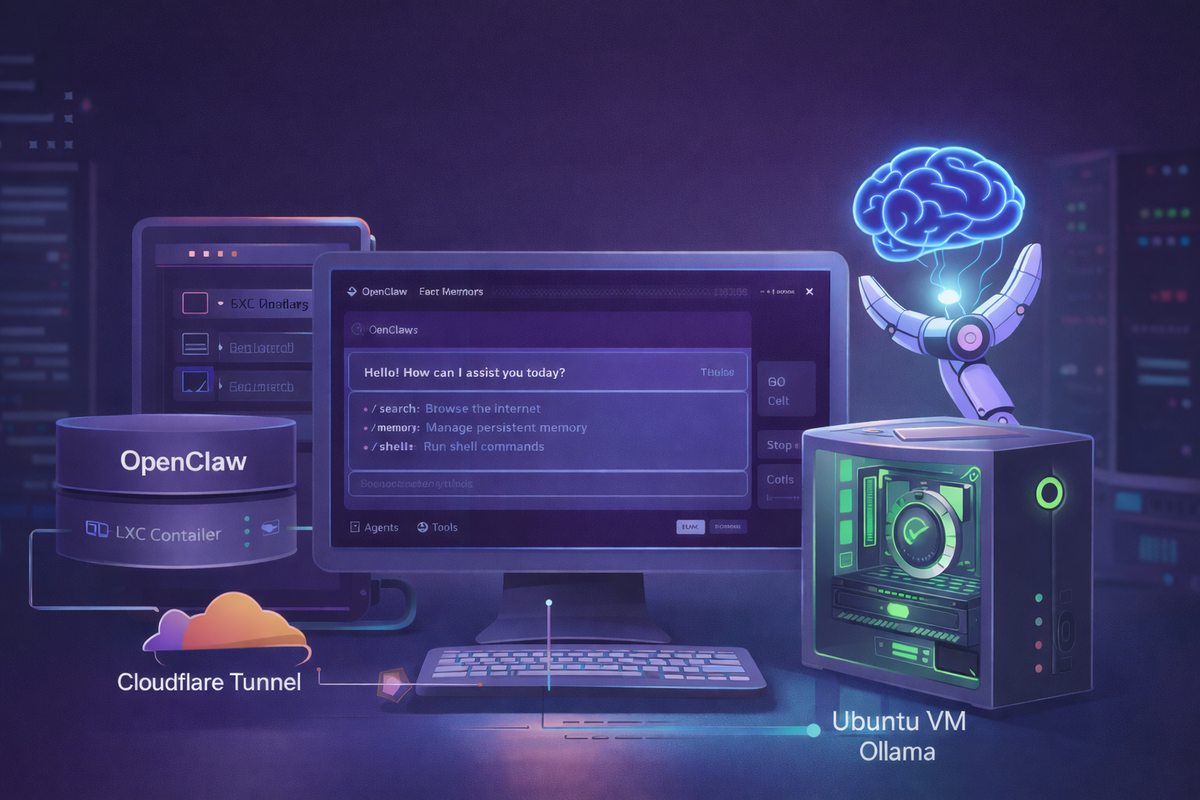
I recently set out to build a fully local AI agent using OpenClaw and Ollama on my Proxmox server. The idea was simple: run a capable, private AI assistant with GPU acceleration and a clean web interface.
In reality, it turned into a deep dive into agent systems, model limitations, and performance tuning.
Here’s a detailed breakdown of my setup, the challenges I faced, and what actually made things work.
⚙️ My Setup
- Proxmox host
- Ubuntu VM → running Ollama with GPU passthrough (RTX 2080)
- LXC container → running OpenClaw
- Cloudflare Tunnel → exposing the UI externally
This separation allowed me to isolate workloads:
- GPU-heavy inference in the VM
- lightweight orchestration in the container
🚧 Challenges I Faced
1. OpenClaw Service Failing to Start
The systemd service kept crashing with errors related to the working directory:
Changing to the requested working directory failed: No such file or directory
Fix:
- Corrected the
WorkingDirectorypath in the service file - Ensured proper permissions for the OpenClaw user
2. Telegram Bot Not Responding
Even after setting up the bot via BotFather, OpenClaw showed:
access not configured
Fix:
- Properly paired the device via OpenClaw
- Approved the chat after initiating a message
- Verified bot token and chat ID mapping
3. Large Model Memory Limitations
I initially tried running large models like:
qwen2.5-coder:32b
But it required ~50GB RAM, which was not feasible locally.
Lesson:
Stick to smaller models unless you have high-end hardware.
4. Requests Timing Out in OpenClaw
This was the biggest issue.
- Direct
curlcalls to Ollama were fast - But OpenClaw requests kept timing out
Logs revealed:
- repeated tool call failures
- retries inside the agent loop
- eventual timeouts
5. GPU Confusion
At one point, I thought the GPU wasn’t working because responses were slow.
After checking nvidia-smi:
- VRAM usage was high ✅
- GPU utilization was near 0% ❌
This led to an important realization:
The bottleneck wasn’t inference — it was the agent orchestration.
OpenClaw was spending most of its time preparing and retrying requests rather than actually generating tokens.
6. Model Compatibility with Tools
Not all models behaved the same in an agent setup.
Here’s what I observed:
- DeepSeek models → no tool support
- Phi3 → very fast, but unreliable tool handling
- Mistral → supports tools, but noticeably slower
- LLaMA 3.x → mixed performance
Key takeaway:
Model choice matters more than raw size or speed.
7. Cloudflare Tunnel Latency
Using a Cloudflare tunnel added extra latency and sometimes affected WebSocket behavior.
Accessing OpenClaw locally was consistently faster.
💡 What Actually Fixed It
After a lot of trial and error, these changes made the biggest difference:
1. Choosing the Right Model
Instead of chasing the biggest or fastest model, I focused on balance:
- tool compatibility
- response consistency
- acceptable speed
2. Reducing maxTokens
Limiting output length had an immediate impact:
"maxTokens": 60-100
This reduced generation time and improved responsiveness significantly.
3. Adjusting Context Window Size
Another major improvement came from tuning the context window.
Large context windows:
- increase memory usage
- slow down token processing
- add unnecessary overhead
By keeping the context window smaller and more focused, I was able to:
- reduce latency
- improve overall throughput
- make responses more consistent
4. Disabling Tools (Game Changer for Speed)
When I disabled tools:
- no more retries
- no agent loops
- instant responses
Tradeoff:
- lost memory and automation features
But for general chat and quick responses, this made the system feel dramatically faster.
5. Understanding the Real Bottleneck
The biggest realization from this setup was:
It wasn’t GPU, network, or even the model — it was the agent loop.
OpenClaw introduces:
- structured reasoning
- tool execution cycles
- validation and retries
All of which add latency, even on powerful hardware.
🚀 Final Setup (What I Recommend)
After all the experimentation, here’s the setup that worked best for me:
Fast Mode (Daily Use)
- lightweight model
- tools disabled
- low
maxTokens - optimized context window
Result:
- fast, responsive experience
- ideal for chat and coding
Agent Mode (When Needed)
- tool-capable model
- tools enabled
- controlled token limits
- slightly higher latency
Result:
- more powerful workflows
- automation and memory support
🧠 Key Takeaways
- Local AI setups involve real tradeoffs between speed and capability
- GPU acceleration helps, but orchestration matters more
- Agent frameworks introduce significant overhead
- Model compatibility with tools is critical
- Tuning parameters like
maxTokensand context window can drastically improve performance
Final Thoughts
This project gave me a much deeper understanding of how modern AI systems actually work under the hood.
It’s not just about running a model — it’s about how everything around it is orchestrated.
If you’re building a similar setup, my advice would be:
Start simple, measure everything, and optimize step by step.