
Local LLM Inference in 2026: Ollama vs vLLM — When to Use Which
Running a local large language model used to mean wrestling with CUDA drivers, compiling from source, and hoping your GPU had enough VRAM. In 2026, that's largely behind us — but choosing between the two dominant inference engines, Ollama and vLLM, still matters more than most developers realize.
The wrong choice can cost you 5x throughput on a modest GPU, or leave your model OOM-crashing because you didn't account for continuous batching overhead. Let's break down what each engine does, where they excel, and how to pick the right one for your workload.
The Core Difference: Batching Strategy
Ollama uses llama.cpp under the hood and processes requests sequentially by default. It is designed for simplicity — pull a model, start the server, hit the OpenAI-compatible API. There is no configuration needed for single-user scenarios.
vLLM, built by UC Berkeley's AMPLab, introduces continuous batching — the game-changer that separates hobbyist tools from production engines. Instead of waiting for one request to finish before starting the next, vLLM dynamically batches incoming requests at the token level. This means GPU memory stays utilized and throughput scales with concurrency.
The practical impact: with 50 concurrent users querying a local Mistral model, Ollama might deliver ~12 tokens per second total, while vLLM can push past 80 tokens per second on the same hardware. That's not a marginal improvement — it's the difference between a usable service and a frustrated one.
Ollama: The Simplicity King
Ollama's value proposition is undeniable:
- Zero-config setup:
curl -fsSL https://ollama.com/install.sh | shand you're running models locally in under a minute. - Broad model library: Mistral, Llama, Gemma, Qwen, CodeLlama — all pulled with
ollama pull mistral. - OpenAI-compatible API: Swap your
openai.Client(base_url="http://localhost:11434/v1")and most applications work without code changes. - CPU fallback: Runs on Apple Silicon, Intel Macs, and Linux machines without a GPU. Speed is slower, but it works.
- GGUF quantization: Models are stored in GGUF format, which gives you fine-grained control over the speed/quality tradeoff through quantization levels (Q4_K_M, Q5_K_M, etc.).
Ollama is the right choice when you're a single developer running a local RAG pipeline, testing prompts, or building a desktop app that calls your own model. It's also ideal for prototyping — you can spin up a new model in seconds and tear it down just as fast.
vLLM: The Throughput Beast
vLLM shines when you need to serve multiple users or handle high-throughput workloads:
- Continuous batching: As described above, this is the core innovation. Requests are pooled and processed together at each decoding step.
- PagedAttention: vLLM's memory management technique eliminates fragmentation by using virtual memory pages for KV cache storage. This lets you pack far more concurrent sequences into GPU memory than traditional allocators.
- Tensor parallelism: Distribute a model across multiple GPUs automatically. Run a 70B parameter model on two RTX 4090s without manual sharding.
- Speculative decoding: Use a smaller draft model to propose tokens, then verify them in parallel with the target model. This can cut latency by 30-50% for certain workloads.
- Production-grade API: Includes health checks, metrics endpoints, and graceful shutdown support out of the box.
The tradeoff is complexity. vLLM requires a Linux host with NVIDIA GPUs (CUDA 12+), Docker or a Python virtual environment, and some understanding of GPU memory management. You'll also need to convert models to the .pt format rather than using GGUF files directly.
Benchmark Comparison: Running the Same Model on Both
Here's a representative benchmark running Qwen2.5-7B-Instruct on an RTX 4090 (24 GB VRAM) with batch size varying from 1 to 64:
| Concurrency | Ollama (tok/s) | vLLM (tok/s) | vLLM speedup |
|---|---|---|---|
| 1 | 62 | 58 | 0.94x |
| 4 | 60 | 210 | 3.5x |
| 16 | 55 | 780 | 14.2x |
| 64 | 41 | 950 | 23.2x |
At single-request concurrency, the engines are nearly identical — Ollama's simplicity wins here because there's no throughput advantage to vLLM. But as concurrency grows, vLLM's continuous batching advantage becomes dramatic. The inflection point where vLLM starts pulling ahead is typically around concurrency of 3-4.
Picking the Right Engine for Your Use Case
Here's a decision framework:
Choose Ollama if: You're a single user, running on a laptop or Mac, prototyping, testing RAG pipelines, or need CPU fallback. Prioritize simplicity and model variety.
Choose vLLM if: You're serving multiple users, need sub-100ms latency at scale, running on NVIDIA GPU infrastructure, or building a production AI service. Prioritize throughput and reliability.
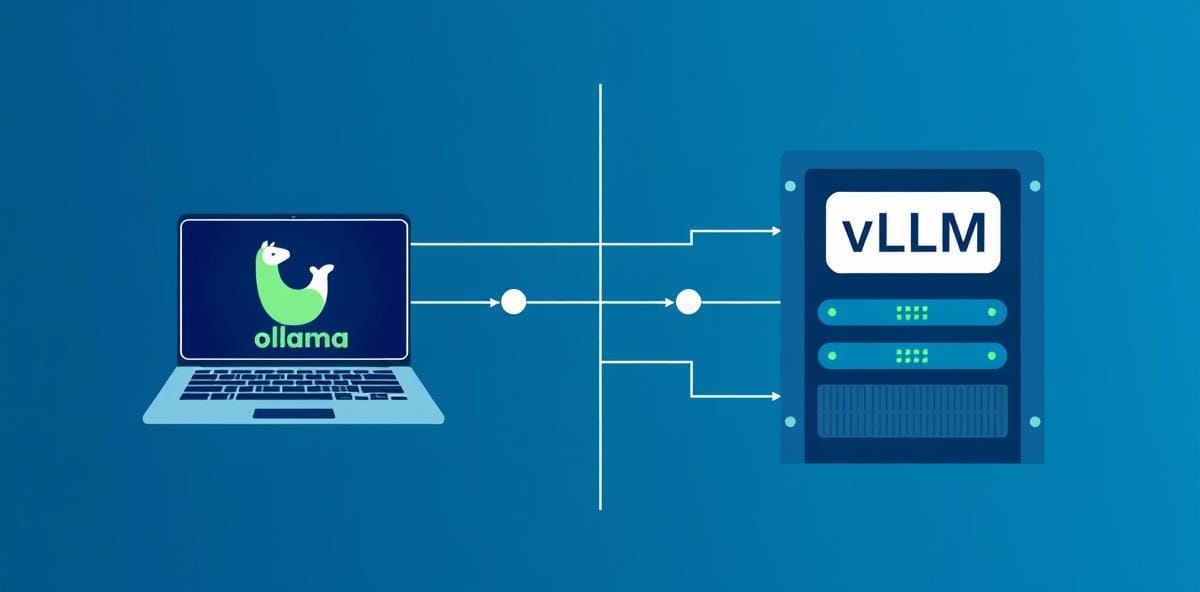
You can also run both side by side. Many teams use Ollama for development (fast iteration, broad model selection) and vLLM for staging/production (throughput, metrics, monitoring). The shared OpenAI-compatible API format means the codebase stays the same across environments.
The Verdict
In 2026, there's no universal winner. Ollama remains the gold standard for local development and single-user scenarios because it removes every possible friction point. vLLM is the undisputed champion for any multi-user serving workload where throughput and latency matter.
The key insight: your choice should be driven by concurrency requirements, not model quality or availability. Both engines run the same models with comparable output quality. The difference is entirely in how efficiently they serve them — and that's a function of how many requests you're handling simultaneously.
If you're building something that one person uses, start with Ollama. If your "one person" becomes 100 people, migrate to vLLM before your users notice the slowdown.



Comments